
The overlay is used to visualize the current status of project phases.
Once phases have been defined and enabled in the model, their progress can be displayed as a percentage value.
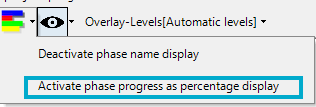
To enable this option, navigate to the Layout Options toolbar, click the Chart icon, and select "Activate phase progress as percentage display".
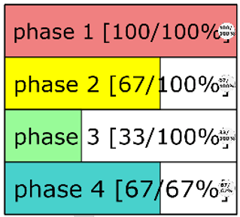
The percentage value displayed represents the current progress of the respective project phase and indicates the proportion of activities within that phase that have already been completed. This provides an at-a-glance overview of the completion status of each project phase.
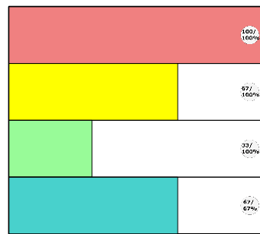
The "Deactivate phase name display" option hides the names of the project phases, so that only their progress values are displayed.
For further information about the available overlay types, see the following articles: